
MaxLight Premium UST Cabinet Range
MPC580
Modular UST Laser TV Cabinet
Concealed Cinema. Modular Precision.
The MPC580 is a premium concealed UST projector cabinet designed for mainstream ultra short throw projection systems. It combines a clean furniture-style appearance with a factory-assembled motorised centre mechanism, modular side-cabinet engineering, synchronised floor rising screen operation and generous AV storage space.
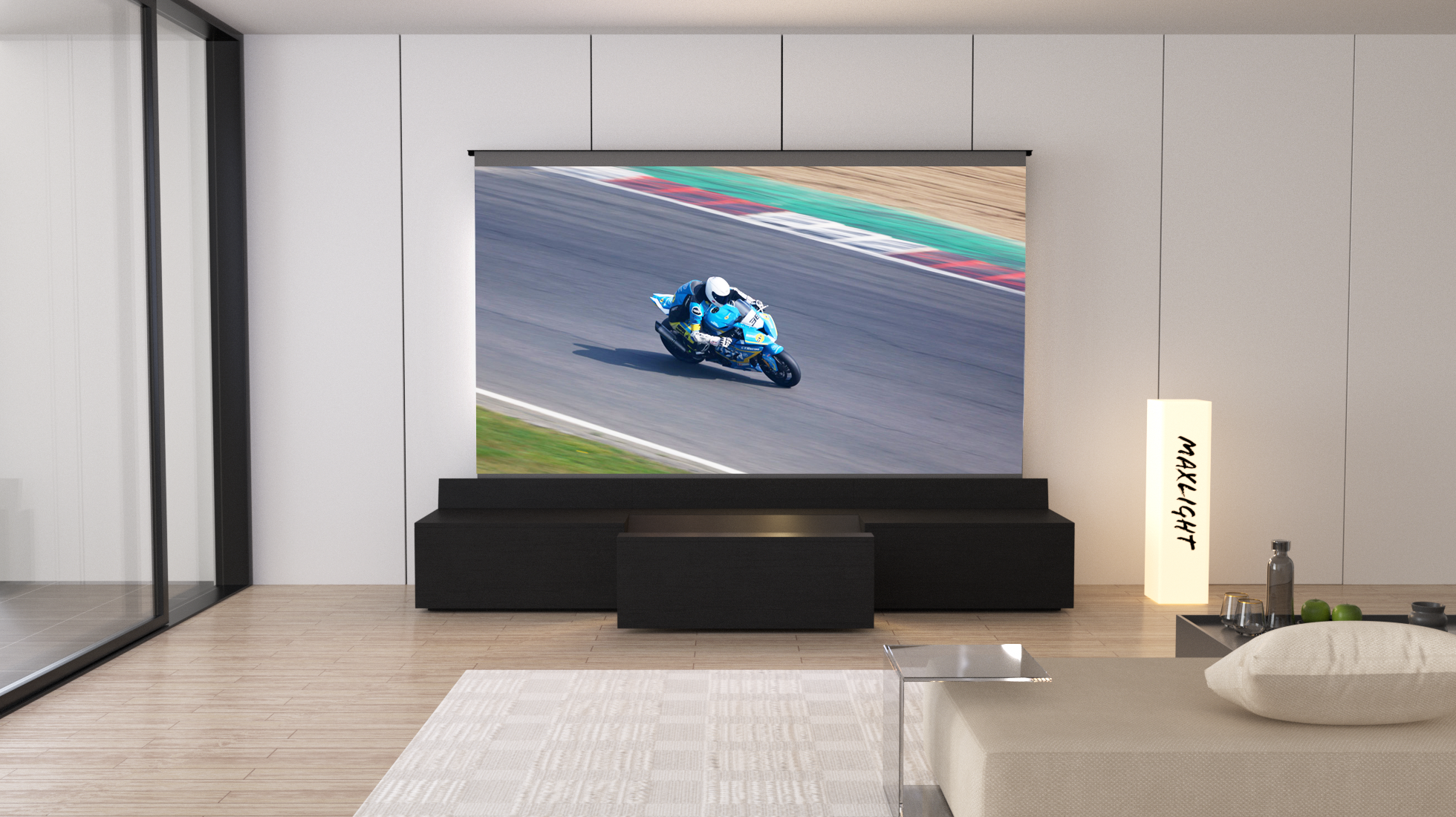
CONCEALED
Projector, floor rising screen and wiring are hidden when closed.
MODULAR
Installation-friendly side cabinet engineering with push-and-click connectors.
FACTORY BUILT
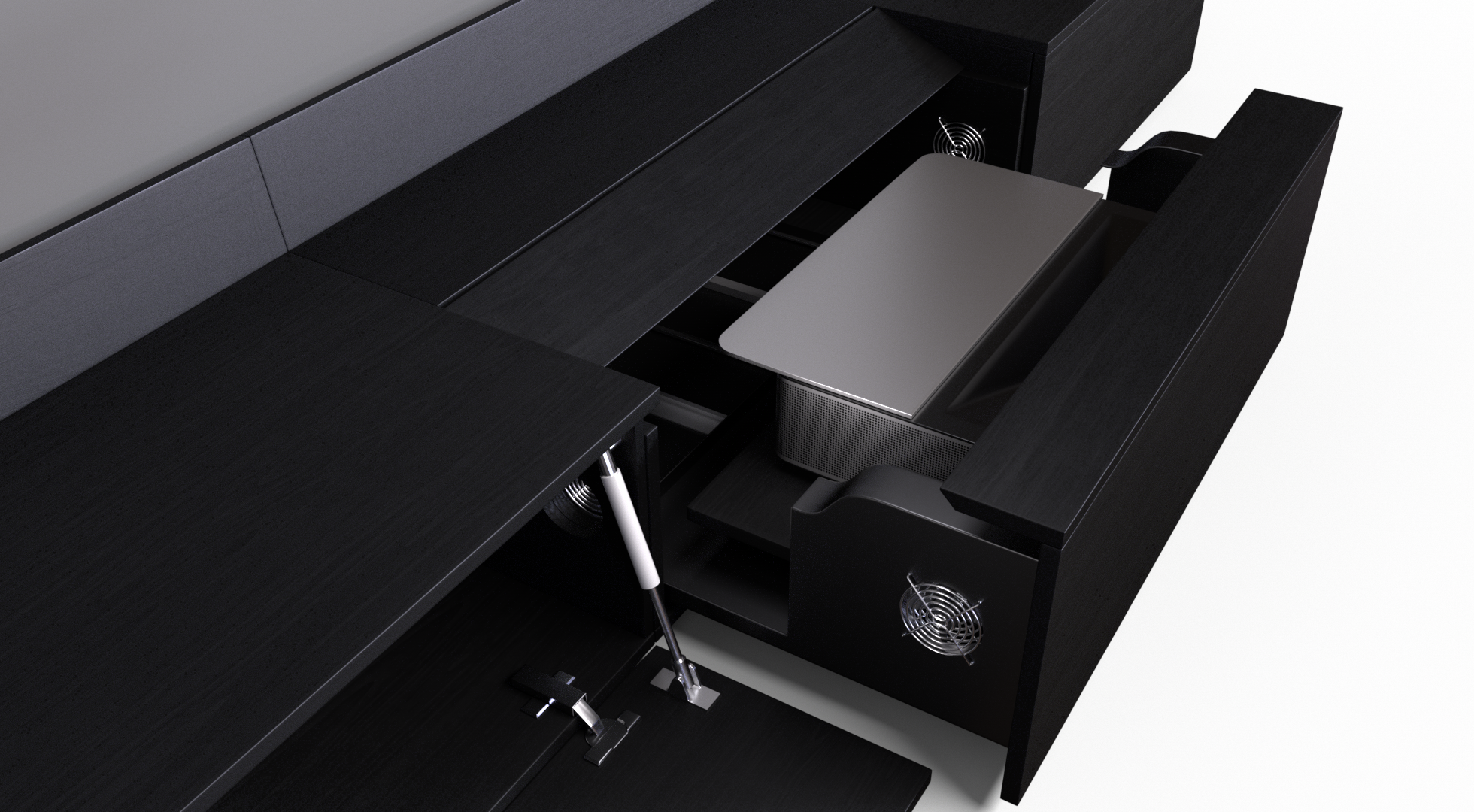
Motorised centre mechanism is pre-assembled for precision and reliability.
SYNCHRONISED
Projector drawer, screen cover and floor rising screen operate as one system.
MAXREMO
Purpose-built iOS and Android app control.
TV ATTACHMENT
Optional MPC-580TA module supports a conventional TV setup.
Premium Modular Engineering
Designed for Easier Installation
The MPC580 is engineered to make premium hidden UST projection easier to deliver, install and maintain. It combines a factory-assembled motorised centre module with modular side cabinets.
Factory-Assembled Centre Module
The precision motorised projector mechanism is assembled at the factory for safety, accuracy and reliable operation.
Modular Side Cabinets
Precision-cut side panels use numbered push-and-click connectors for a cleaner and more practical installation process.
Efficient Delivery Format
The modular side-cabinet design helps reduce transport volume and handling risk without compromising the premium cabinet finish.
Easier Part Replacement
Modular side components can be replaced more easily if a panel or connector needs attention after delivery or installation.
Synchronised One-Touch System
One Action. Complete System Movement.
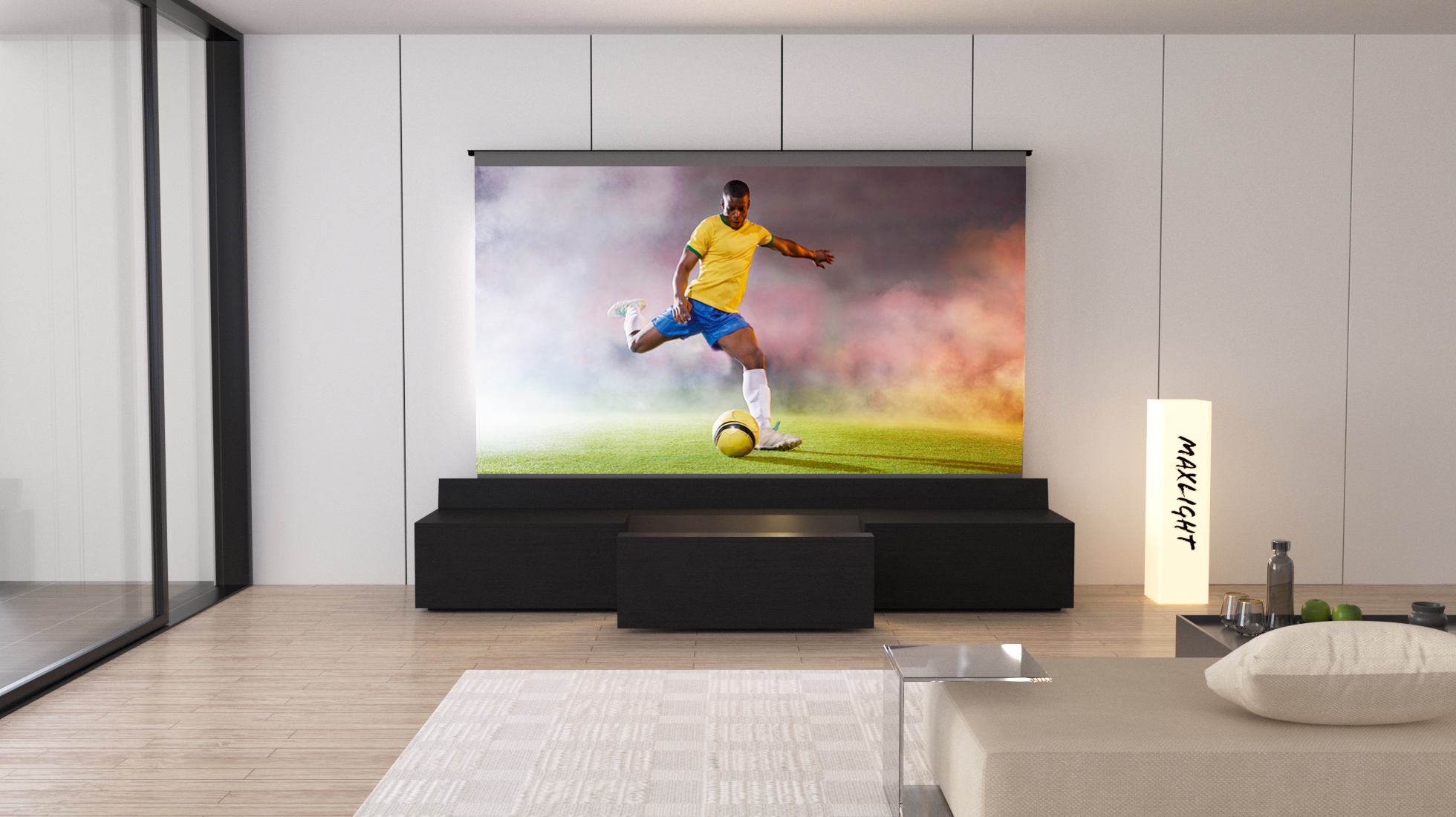
When the projector powers on, the MPC580 opens in sequence: the centre projector drawer slides out, the cabinet screen cover opens, and the floor rising screen rises. When the projector powers off, the system closes in reverse order.
01
Projector Powers On
The cabinet detects the projector power increase through the cabinet power system.
02
Drawer Slides Out
The motorised centre projector drawer moves into the working position.
03
Screen Cover Opens
The rear screen protection cover opens before the floor rising screen elevates.
04
Screen Rises
The floor rising screen elevates and the system is ready for projection.
Purpose-Built Companion App
MaxRemo App Control
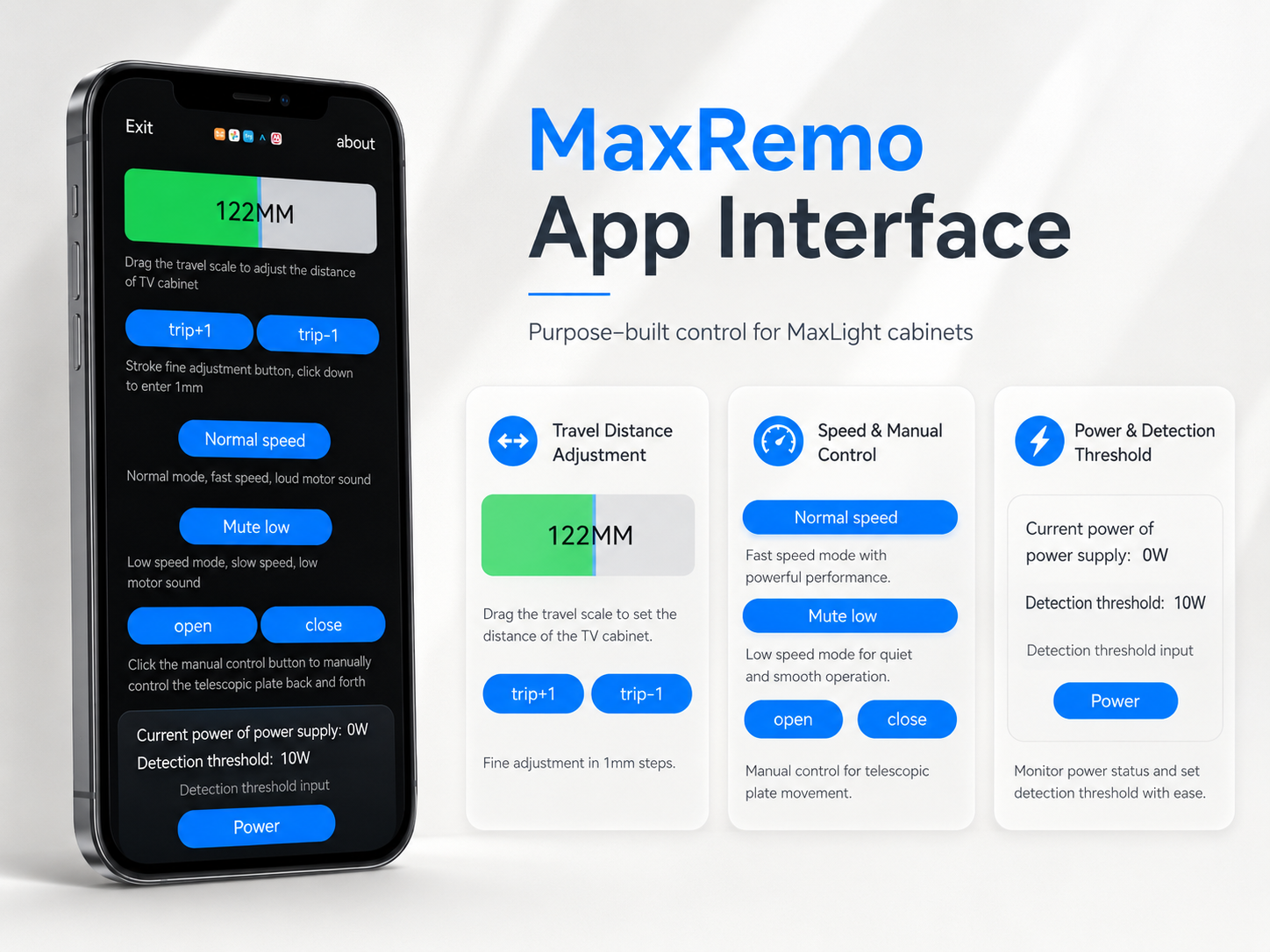
MaxRemo is purpose-built for MaxLight projector cabinets. It connects by Bluetooth and gives users direct control over setup, movement and power detection settings.
Travel Distance Adjustment
Set the projector drawer travel distance and fine-tune movement for the installation.
Manual Open / Close
Operate the cabinet manually when needed, independent of the automatic sequence.
Speed Mode Selection
Select movement speed depending on the preferred balance between speed and noise.
Power Detection Threshold
Monitor projector power and adjust the trigger threshold for current or future projector models.
Future Flexibility & Clean Installation
Power Detection & Cable Management
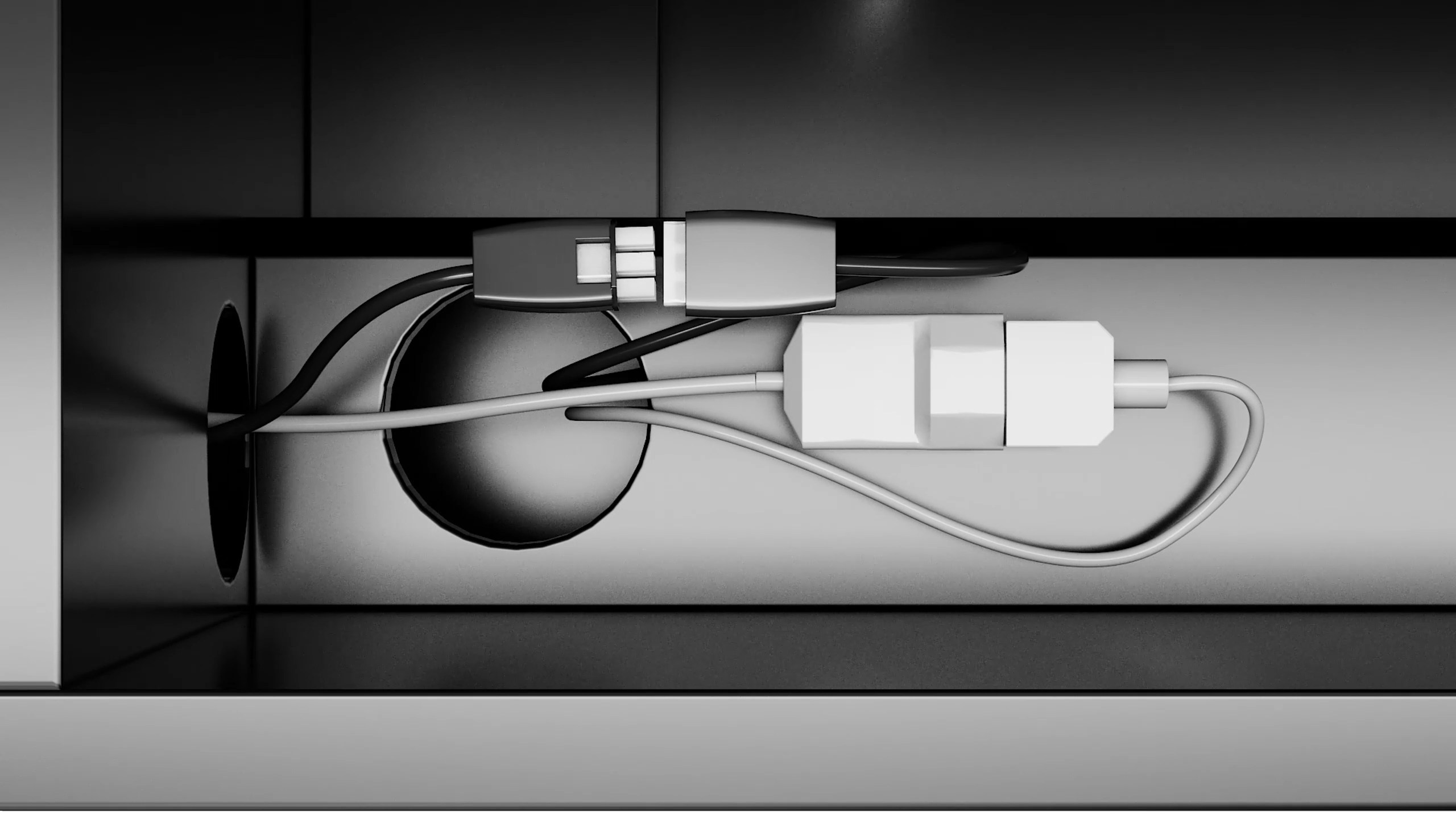
Different UST projectors have different standby and working power levels. The adjustable detection threshold helps the cabinet recognise when the projector is truly powered on or off.
Adjustable Trigger Threshold
Reduce false triggering and improve compatibility with different projector power behaviours.
Integrated Cable Routing
Pre-cut access holes help organise power, HDMI and AV cables between modules and through the rear of the cabinet.
USB Trigger Support
Works with the screen trigger connection for coordinated screen operation.
Safety Reminder
Always disconnect the cabinet main power before cleaning, moving, cable checking or maintenance.
Mainstream UST Projector Setups
Designed for Mainstream UST Projectors
The MPC580 is designed for mainstream ultra short throw projectors, typically with a throw ratio around 0.21:1 or above. Final compatibility depends on projector body size, lens position, cable connection position, ventilation direction, screen size and installation environment.
Physical Fitting First
The projector must physically fit within the centre projector compartment before throw distance is assessed.
Screen Case Check
The floor rising screen casing must fit the rear screen area and cable routing layout.
Optional Accessory
MPC-580TA TV Attachment Module
One Cabinet. Two Ways to Watch.
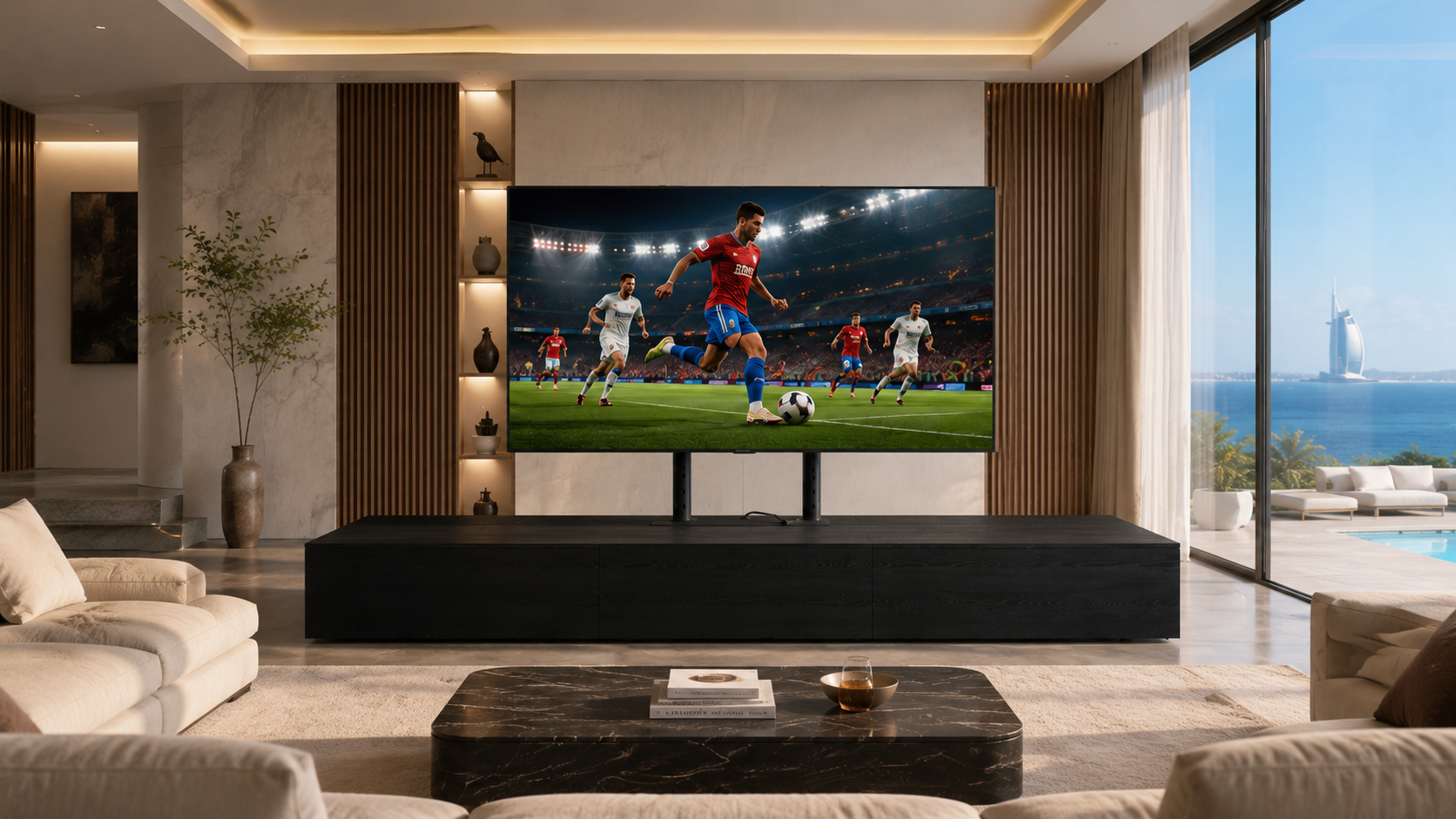
The MPC-580TA TV Attachment Module is an optional extension for the MPC580 cabinet. It adds an adjustable VESA TV mounting structure behind the cabinet, allowing customers to use a conventional TV for everyday viewing while keeping the floor rising projection screen available for large-screen cinema moments.
Dual-Display Flexibility
Use a conventional TV for daily viewing and the floor rising screen for immersive projection.
Adjustable TV Height
Telescopic support poles allow the TV position to be adjusted to suit the room and seating position.
Universal VESA Mount
Supplied with a universal VESA bracket for TVs up to 70 inches, subject to TV size, weight and mounting pattern.
No Wall Mount Required
The TV can be mounted to the cabinet attachment without fixing it directly to the wall.
Complete Attachment Kit
Supplied as a Modular Add-On
When the MPC-580TA option is selected, the attachment is supplied with the required cabinet panels, connectors, installation tools, dual support poles and universal VESA TV bracket. The panel-based structure follows the same modular installation concept as the MPC580 side cabinets.
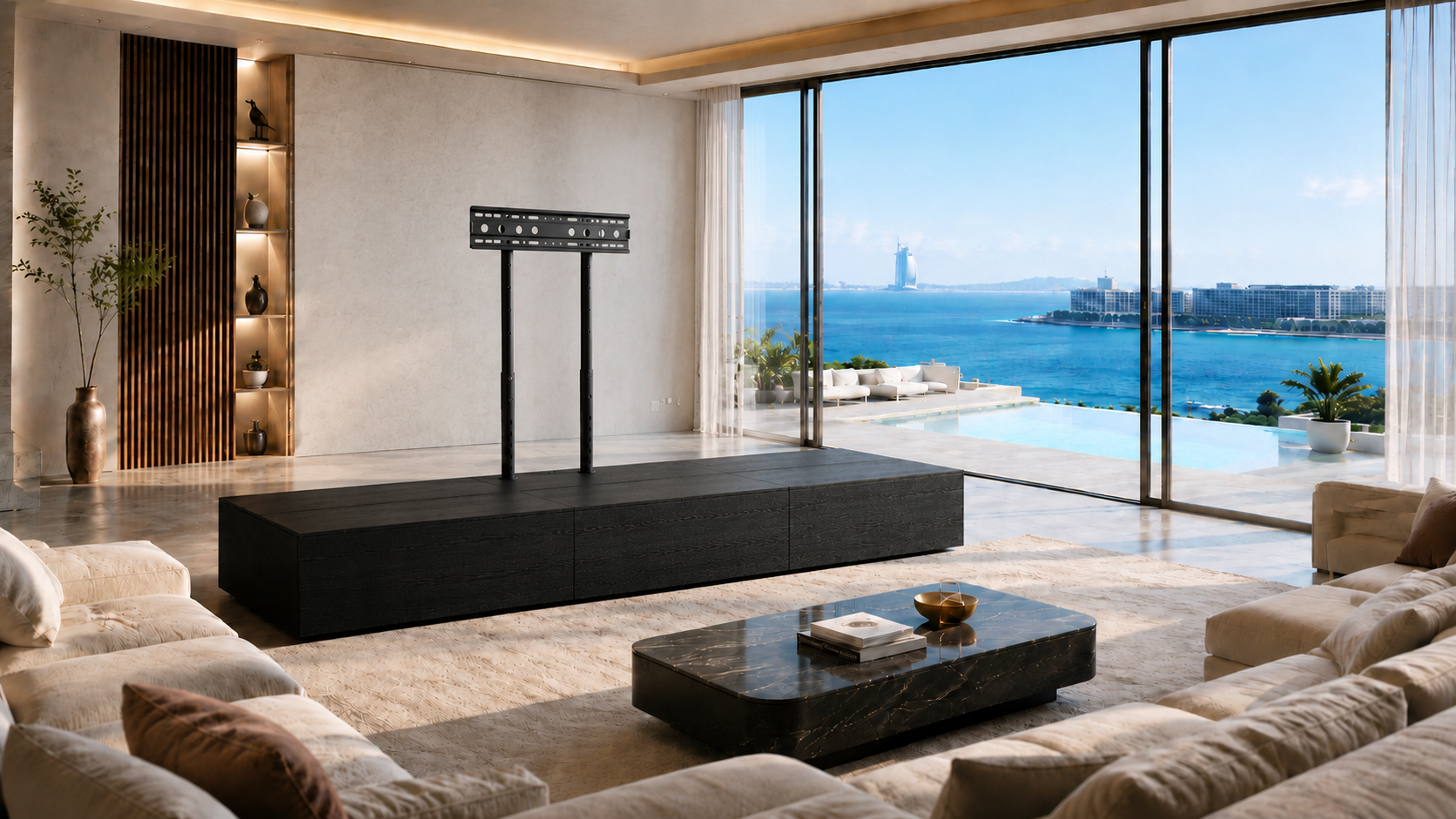
Cabinet Extension Panels
The rear extension structure integrates with the MPC580 cabinet system.
Support Poles Included
Two height-adjustable poles support the VESA TV mounting bracket.
Clean Integrated Layout
TV, projector, screen and AV devices can be organised around one furniture system.
Daytime Viewing Option
Ideal for bright rooms or casual viewing when a conventional TV is more practical than projection.
Finish Material Options
Standard Finishes & Bespoke Options
The MPC580 is available in the same MaxLight furniture-friendly finish range. Bespoke colours and surface finishes are available for selected project requirements.
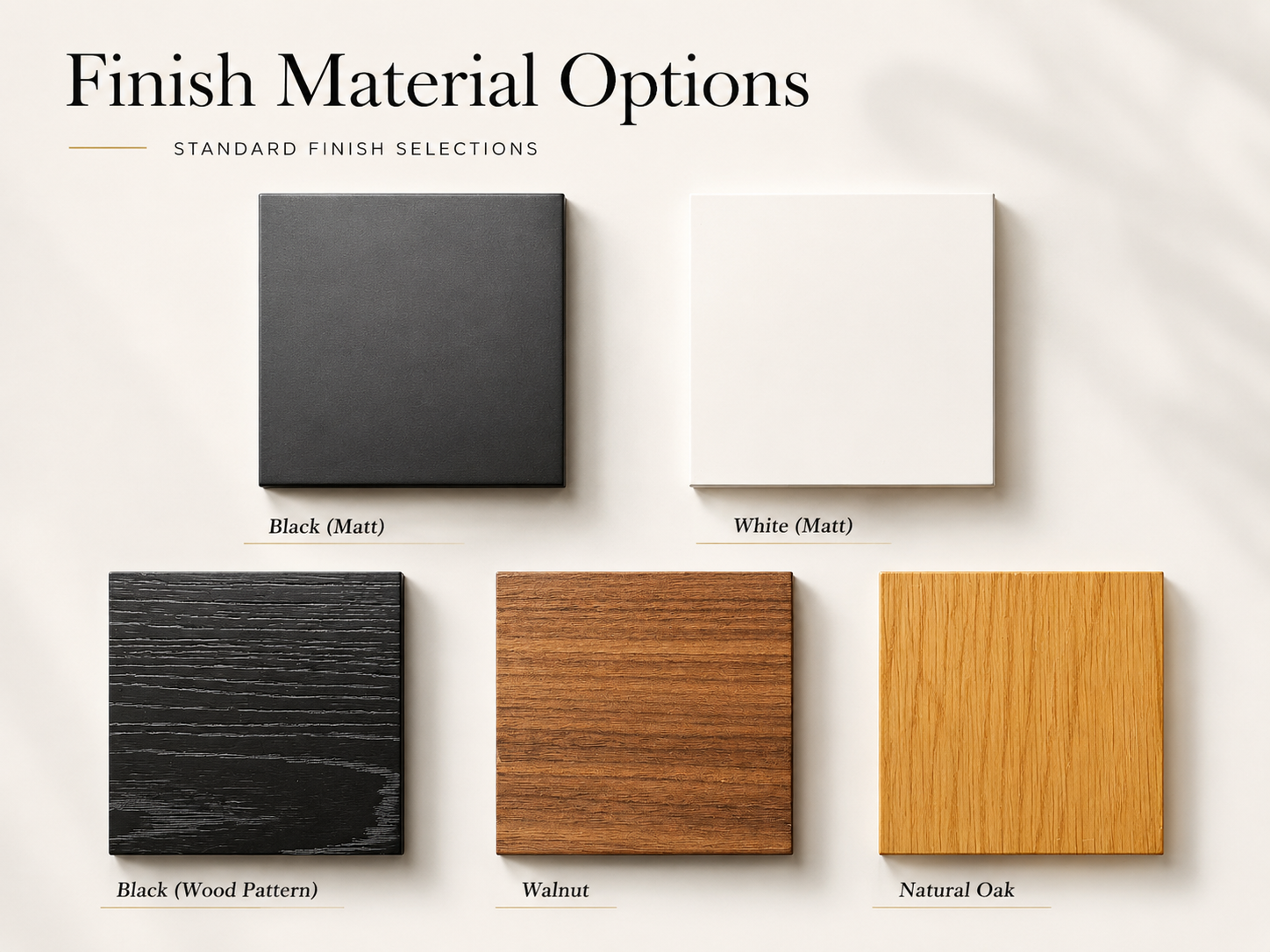
Natural Oak
Light wood finish for warm interiors.
Walnut
Rich wood tone for a classic premium look.
Black Wood Pattern
Dark textured wood grain finish.
Black Matt
Clean matte black furniture finish.
White Matt
Minimal white matte finish.
Custom Finish
Bespoke colours and surfaces on request.
Dimensions & Standard Configurations
Product Dimensions
Standard cabinet dimensions for 100-inch and 120-inch floor rising screen configurations.
Model
Screen Size
Width
Depth
Height
Projector Width
Notes
MPC580-100
100” floor rising screen
252 cm
58 cm
34.8 cm
Up to 70 cm
Standard 100” configuration
MPC580-120
120” floor rising screen
300 cm
58 cm
34.8 cm
Up to 70 cm
Standard 120” configuration
Custom Extended
100” / 120”+
By project
58 cm
34.8 cm
Up to 70 cm
Extended side cabinets available
Bespoke Compact
Below 100”
Review required
Review required
Review required
Review required
Requires projector and site details
Projector fitting width is listed as 700mm for safe planning. Final compatibility depends on projector body depth, height, lens position, cable position, ventilation direction, screen size and installation environment.
Optional Module
MPC-580TA Specification
Optional Module
Function
TV Support
Included Parts
Notes
MPC-580TA TV Attachment Module
Rear extension module for TV mounting
Up to 70” TV
Cabinet panels, connectors, installation tools, dual support poles and universal VESA bracket
Optional accessory. Not included in standard MPC580 unless specified in the order.
Important Installation Notes
System Notes
Screen Position
The floor rising screen should be installed on the rear support area of the cabinet.
Cabinet Power Routing
The projector and screen should be powered through the cabinet system for synchronised operation.
Cable Connections
Screen power cable, USB trigger, magnetic sensor switch, actuator cable and projector power cable should follow the cabinet cable routing.
Safety
Disconnect the main power before cleaning, moving, checking cables or carrying out maintenance.
FAQ
Common Questions
Is MPC580 compatible with all UST projectors?
The MPC580 is designed for mainstream UST projectors, typically around 0.21:1 throw ratio or above. Final compatibility depends on projector dimensions, lens position and installation setup.
Is the cabinet fully assembled?
The motorised centre module is factory assembled. The side cabinets are supplied as modular panels using a push-and-click connector system.
What is MPC-580TA?
MPC-580TA is an optional TV Attachment Module that allows a conventional TV to be mounted behind the MPC580 cabinet using height-adjustable support poles and a universal VESA bracket.
Is the MPC-580TA included as standard?
No. MPC-580TA is an optional accessory and is only included when specified in the order.
Can the cabinet be made longer?
Yes. For larger furniture layouts, additional side cabinet modules can be added.
Can the cabinet be controlled by app?
Yes. The MPC580 supports MaxRemo app control for iOS and Android.